Digital Imaging Technician · Data Wrangler
DIT in Cologne
A shoot with eight cameras easily produces several terabytes a day. I back up every card three times, verify every copy and make sure post-production can start editing the next day.
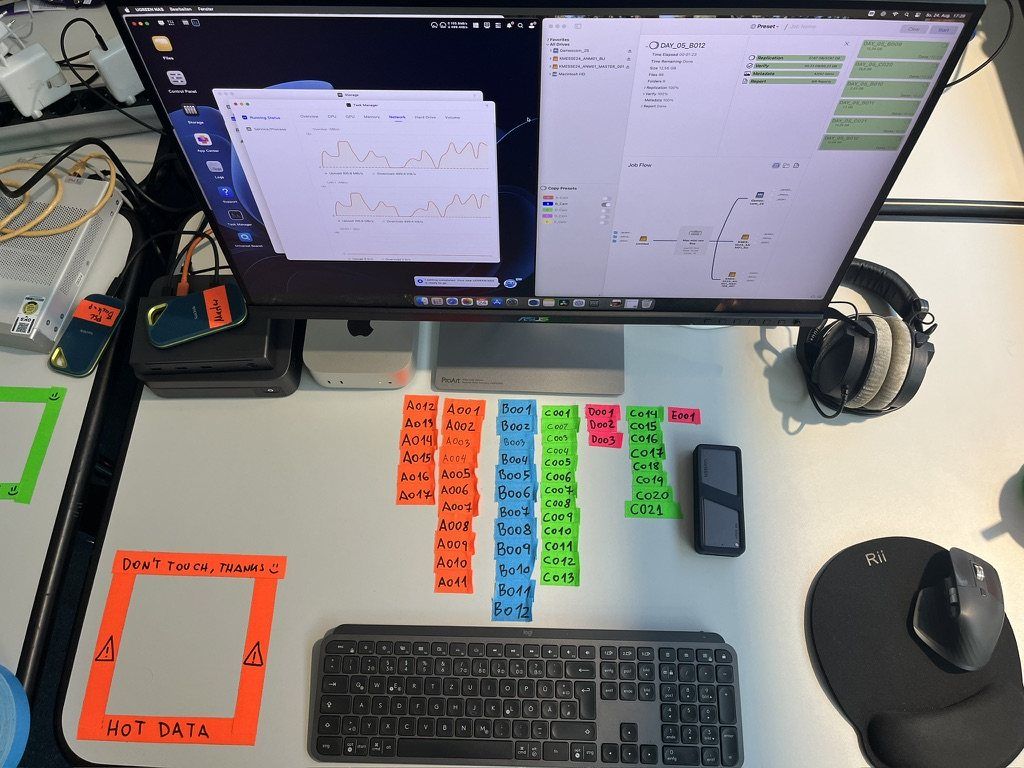

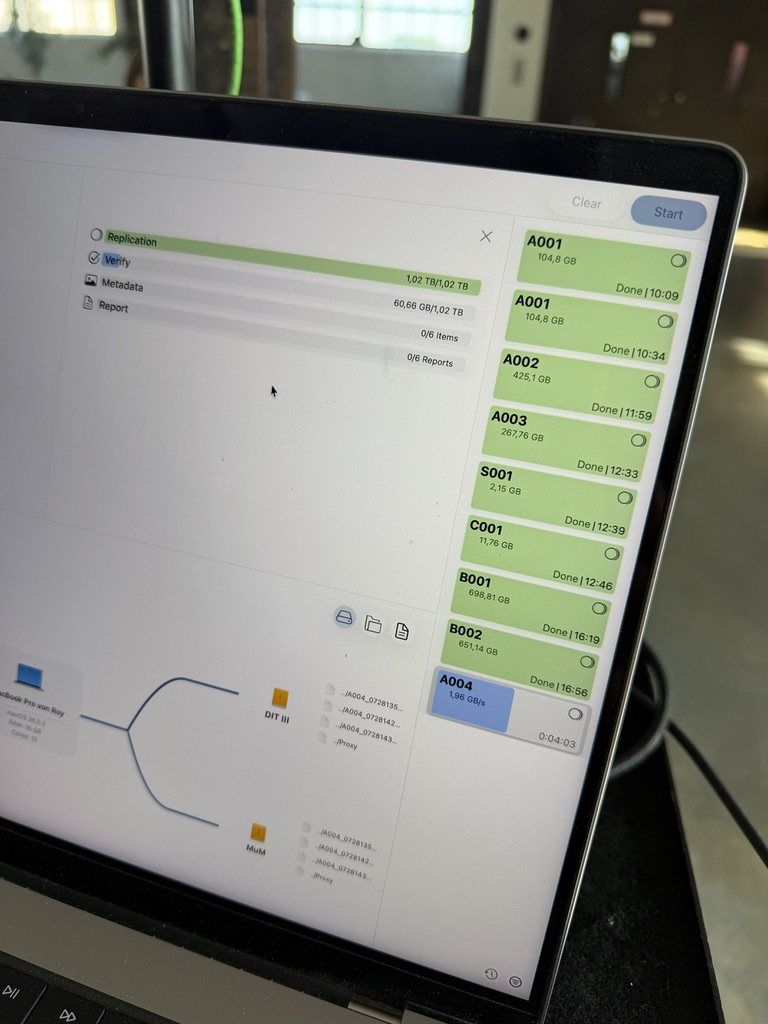


What can go wrong on set
- The production’s SSDs are big but slow. Backups can’t keep up, and the day gets longer for everyone.
- A drive fails. It happens to everyone eventually, usually when nobody expects it.
- The edit is waiting for footage because there are no proxies.
- After the shoot nobody understands the folder structure anymore.
How I work
Three copies in separate places
Two on the production’s SSDs, one on my 16 TB NVMe RAID.
Checksums and reports
ShotPut Pro or Silverstack verifies every copy. Every shooting day gets a PDF report.
Proxies via Frame.io
Editing can start the next day at the latest.
Two weeks of backup
At an event with 14 cameras, the editor’s SSD died. The same day he had a new copy from my RAID and kept cutting.
Fast SSDs when needed
If the production’s drives are too slow, I rent out my NVMe SSDs. That often saves more in overtime than it costs.
Planning before the shoot
I calculate in advance how much storage and which cards your shoot needs.
Storage calculator
How much storage does your shoot need? Here is a quick estimate. We do the detailed planning together.
Estimates based on Apple ProRes data rates at 25 fps. RAW formats vary a lot. Enter your own value or ask me.
Before the shoot
Bottleneck calculator
Every card, card reader, cable and SSD has its own top speed. The slowest part decides how long copying takes. Build your setup here and see right away where it slows down.
Guide values from data sheets and real-world tests, not marketing figures. I count verification as 80 % of the copy time, which depends on software and checksum. We do the detailed planning together.
FAQ
How many copies do you make?
Three: two for the production and one on my own RAID, which I keep for two weeks.
What is the difference between a DIT and a data wrangler?
The terms are often used for the same job. A data wrangler mainly looks after backup and handover of the footage, a DIT also looks after image and look on set. With me you get both.
Which software do you use?
ShotPut Pro or Silverstack for backup and checksums, DaVinci Resolve for looks and proxies, Frame.io for handover.
How long do you keep the data?
Two weeks. Longer on request, for an extra fee. I never pass production data on to third parties.
Are you insured?
Yes. My equipment is insured, and I also have data insurance.
How many cards do we need for eight cameras?
That depends on codec, resolution, frame rate and recording time. The storage calculator below gives you a first estimate, and I do the detailed planning with you for free.
What is VIT?
VIT is my short name for video operator and DIT in one person.
How much does a DIT cost?
It depends on the setup. After the free consultation you get a concrete quote.
Video operator in Cologne →Video operator and DIT in one person →DIT for events and multicam →
Let’s plan your data path
The first consultation is free. Afterwards you’ll know how many cards, drives and hours your shoot needs.